Emoji legend
AuthentiGate uses its own emoji so you can tell at a glance what a message is. Each one below shows what it means and where you'll see it. The colour stripe on each card matches the stripe on the bot's messages that use that icon.
Unicode fallback
Until the bot's emoji are uploaded to its Discord application, Discord shows a standard emoji in their place (listed on each card as "shown as …"). The meaning is the same.
Server logs
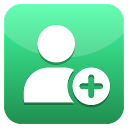
Join log
- Title of the Join log picker in /logs
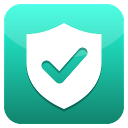
Verification log, and "you are verified"
- Verification log picker in /logs
- The "You are verified" DM after a passed verification

Admin log / settings
- Admin log picker in /logs
- Server setup group in /help
- Settings button and page in /tickets
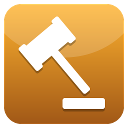
Mod log / moderation
- Mod log picker in /logs
- Moderation group in /help
- Mod log cards for case types without their own icon (purge, for example)

Reports
- Reports picker in /logs
- Every report card staff receive
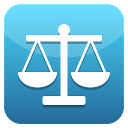
Appeals
- Appeals picker in /logs
- Every appeal card staff receive
Leave log
- Leave log picker in /logs

Change log, nickname changes
- Change log picker in /logs
- Mod log cards for a reset nickname

Tickets
- Tickets log picker in /logs
- Tickets group in /help
- Ticket panels members open tickets from
- Ticket welcome, closed and log cards
- /tickets setup pages
Status
Works / done
- "What AuthentiGate can do here" list in /moderation (a permission the bot has)
- Mod log cards for a pardon, a removed timeout or roles given back

Missing / failed / close
- "What AuthentiGate can do here" list in /moderation (a permission the bot is missing)
- "Verification could not be completed" DM
- Close button on a ticket
Needs your attention
- Next to a role the bot cannot give in /setup and /verification roles
- Ticket setup when something is missing
- Spam trap panel when a permission is missing
- Raid alarm and anti-nuke alerts
- Mod log card when anti-nuke took someone's roles
Case types
These appear in the title of each case in your mod log.
Warn
- Mod log card for a warn
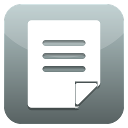
Note / text
- Mod log card for a staff note
- Transcript button on a closed ticket and on its tickets log line
- "Edit text" button on a ticket category
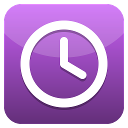
Timeout / time
- Mod log card for a timeout or slowmode
- "Custom ban length" button in the spam trap panel

Kick
- Mod log card for a kick or softban

Ban
- Mod log card for a ban
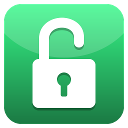
Undo / unlock / reopen
- Mod log card for an unban, release, unlock or lockdown ended
- Reopen button on a closed ticket

Quarantine / lock
- Mod log card for a quarantine, channel lock or lockdown

Role given or taken
- Mod log card for a role given or taken
Verification

Pending
- Defined for a pending verification; not seen on a member-facing screen in the code reviewed

In review
- "Your verification needs a closer look" DM

Declined
- "Your verification was not accepted" DM

Expired / ending
- Cancel renewal button in /premium
Badges
Shown next to a member in the join log.

New account
- Join log: next to an account younger than the server's account-age gate
- "New account joined" alert
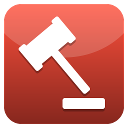
Banned in other servers
- Join log: how many bans this account has in other AuthentiGate servers
Buttons

Set up
- Setup button in /logs
- "Set up channel" button in the spam trap panel

Help
- Help button in /setup, /verification roles, /moderation and /tickets

Unassign
- "Unassign all" button in /logs, and its confirm

Back / cancel
- Back and Cancel buttons in /logs, /setup role pages, /tickets and the spam trap panel

Resync / resume
- "Resync everyone" button in /setup
- "Resume renewal" button in /premium

Add / create
- Create button in /logs Setup
- Add category and Add panel in /tickets
- "Create new channel" in the spam trap panel
Billing
- Billing button in /premium
Claim
- Claim button in a ticket
Delete
- Delete button on a closed ticket

Spam trap
- Spam trap panel title
- "Post warning" / "Update warning" button in the spam trap panel
- The warning the bot posts in the trap channel
Premium

Premium
- Premium group in /help
- Subscribe button in /premium
- Premium-only "Questions" button on a ticket category
Help menu
The groups in /help.
Identity (verify and profile)
- Identity group in /help

About the bot
- "About the bot" group in /help

General
- General group in /help (where /help itself lives)
Bot team
You'll only see these if you're on the AuthentiGate team.

Servers (bot team log)
- Only in the bot team's own logs; server staff never see it
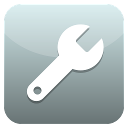
Owner commands
- Owner group in /help (only visible in the bot team's server)